


 8:29 AM
 Unknown

Assalamualaikum , selamat sore sahabat blogger semua?. Pada postingan kali ini admin blog InformasiKita memposting artikel Download 10 Template Keren Untuk Blog Terbaru Juli 2013 Gratis.



6. X6 - Yellow

7. Johny Darkgamer 2


10. X10 Masonry Transparent


Semoga bermanfaat dan selamat mencoba , jangan bosen2 datang ke blog ini ya .....
Saya akhiri Wasalamualaikum Wr. Wb ......
Untuk sahabat blogger yang sedang mencari - cari template blog
yang paling keren, bagus, dan unik tentunya untuk blog anda. Selain
template dibawah ini keren, daftar template dibawah ini juga dibilang
SEO Friendly. Karena memiliki fitur auto keyword yang mampu meningkatkan
SEO anda secara maksimal, maksudnya di template tersebut telah di
optimasi agar memperkuat keyword anda di mata google selain itu dapat
dengan mudah berada di top 10 serp google.
Nah, anda penasaran dengan template ini?. Dibawah ini adalah
beberapa template keren yang saya sajikan untuk anda semua. Silahkan
anda download satu - persatu. Jangan cepat - cepat kabur di blog aku ya,
baca - baca saja di blog saya.
Oya, saya lupa, jika anda sudah menentukan dan mendownload template
dibawah ini, berikut ini adalah cara mengganti templatenya. Ikuti
langkah - langkah dibawah ini!.
1. Pastikan anda sudah masuk/login di akun blogger.com
2. Klik Template.
3. Klik tombol "Cadangkan / Pulihkan" yang berada di pojok kanan atas.
4. Klik tombol silver "telusuri" dan cari template yang anda download tadi.
5. Klik tombol orange "Unggah", Tunggu proses upload.
6. Jika selesai, Lihat dan periksa home page blog anda.
1. Anime Visual

2. Modern V5

3. Unite

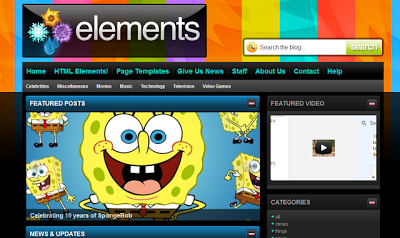
4. Elemants

5. Crome GT

6. X6 - Yellow

7. Johny Darkgamer 2

8. Anime Naruto

9. X10 Masonry Red

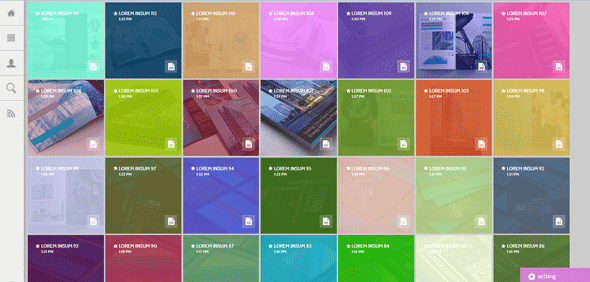
10. X10 Masonry Transparent

11. DCM White
Semoga bermanfaat dan selamat mencoba , jangan bosen2 datang ke blog ini ya .....
Saya akhiri Wasalamualaikum Wr. Wb ......


